PayPal have just released a new version of their popular iPhone application which allows two iPhone users to quickly transfer money using an iPhone “bump”.
The app has been completely redesigned to give it a slick new look and feel, and once logged in, as well as bump transfers, there are a variety of other tools to allow you to collect money from a group of friends and split bills easily.
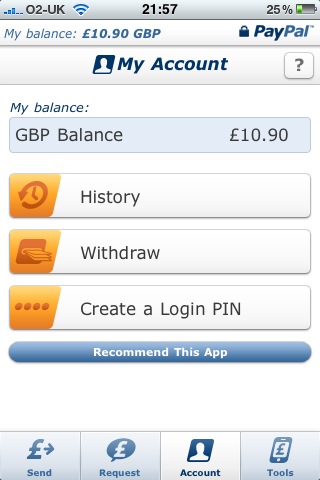
Once you’ve logged in to the app, you can check your PayPal balance, view recent transactions and withdraw money to your bank account.
Screenshots
The login screen is pretty self explanatory. This follows an animation which loads when you launch the app. Nice to look at on the first load, but after that it gets a little tiresome. Luckily you can get straight to the login screen by tapping the screen whilst the animation is bouncing around your screen. Instead of using your normal PayPal email address and password, you can also setup a PIN to go with your phone number and login using those instead.

As well as “bumping” two iPhones together to quickly transfer money between users (see below), there are also tools to help you split a bill, including adding a tip. Below shows a £75 bill with 15% tip added, split between 4 persons.

Once you’ve done the calculation, you can then request money from those sharing the bill, selecting from your list of contacts in you iPhone, again assuming that the email address you have for them is a valid PayPal email address. If not, it will ask them to setup a new PayPal account.
There’s also a function to setup reminders to help you remember regular payments such as monthly bills, perhaps your mortgage or council tax.
As well as your PayPal balance, you can also see the last few transactions on your account, and request to withdraw money to your bank account, which is another new addition to the app.
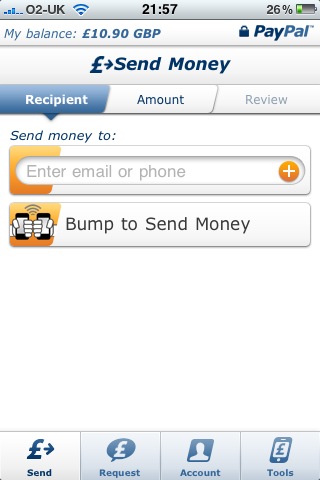
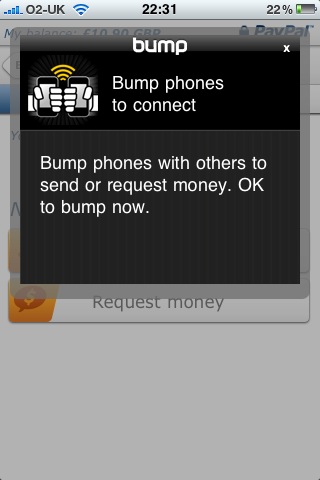
If you’ve got another iPhone user nearby and need to transfer money to them, you can use the new “bump” feature to send them money – just enable the feature on each iPhone (so you’ll both need the app installed, and switched on), and bump your phones together. I assume the other iPhone user will need a valid PayPal account before this will work.
Verdict
Overall, it’s a good app, and pretty much a must-have for regular PayPal users. The app has become more useful now that you can see your recent transactions and withdraw money to your bank account, and the bump features and bill-splitting tools are a nice to have, but how useful they are will ultimately be dependent on how many of your friends have a current PayPal account, and are happy to move money around in this way.
As well as the iPhone app, PayPal also has an app for both the Android and Blackberry platforms (search for PayPal in the Android Market/Blackberry App World).
I find Paypal iPhone application very useful..The updated version added more features which i missed in earlier one..
Highly recommended for Paypal users
Wonderful application. I guess not many iPhone users are aware of this App !!
Your article is quite useful.
I wouldn’t recommend the PayPal app for usage over a public WiFi network as it may leave your details exposed to sniffers.